The North Routt Snow Riders club is a member of the Colorado Snowmobile Association (CSA). To join the club, you join CSA and add to your membership the club(s) you would like to support. CSA provides additional benefits to you and the club including specialized insurance policies, benefits and state-wide support for snowmobiling in Colorado
As a member of the club, you will be helping to provide enjoyable access to the many winter activities in North Routt County, Colorado…as well as supporting snowmobiling access across the state of Colorado.
There are two paths for joining.
- Join – create your CSA membership, and “adding our club” to your membership portfolio
- Renew – For current members of the Colorado Snowmobile Association, – the renewal lets you review the clubs you are associated with. From that screen you may add or remove as many clubs as you like.
If you are unsure if you need to renew or “join new” … try to renew first!
NOTE: both methods will require you to establish a CSA specific userid and password
(Historical note: “North Routt Snow Riders” is the new club name for the old Steamboat Lake Snow Club)
The CSA managed membership process has about 8 steps… You may click on these buttons to open a new browser window at the correct CSA starting point
The following screen shots are specific to associating your membership with our club – CSA step 4 for new users
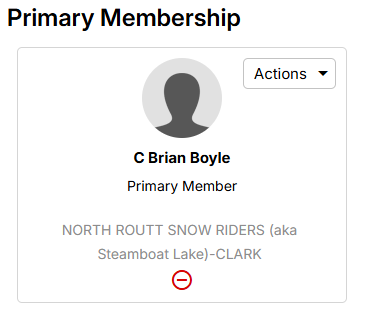
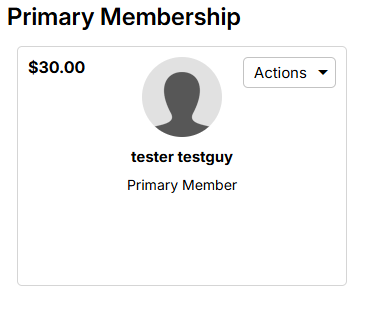
Once you log in (either by establishing a new membership ID, or renewing your current one) you will see a membership summary screen similar to the image below
If you’re CSA membership is already “current” you can get to your membership summary screen by following the steps outlined in the “ADD CLUB ONLY” section below (click on the arrow to expand that text)
ADD CLUB ONLY – skip if creating an account or renewing
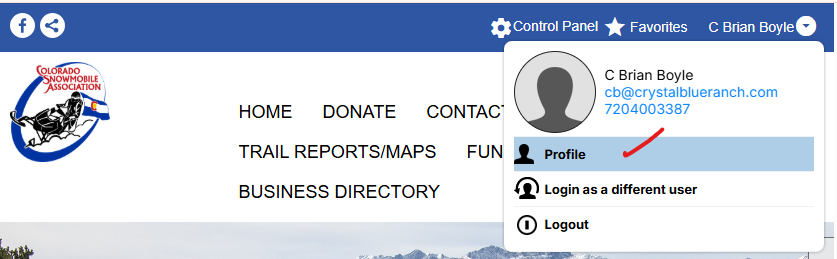
To Add a club to a current membership via the membership summary screen … find your account screen (at the top right corner of the CSA webpage and open your profile by clicking on the arrow next to your name
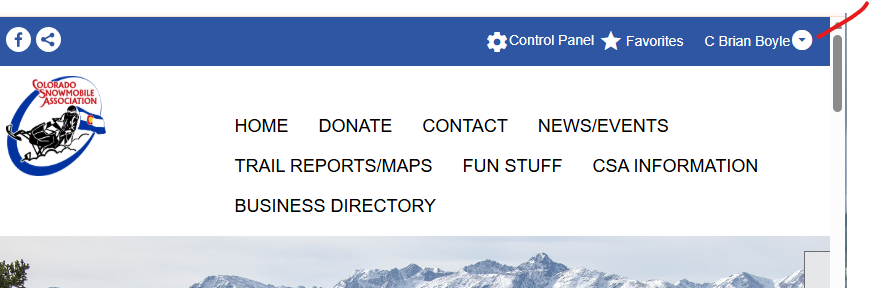
Select profile to see all your options…
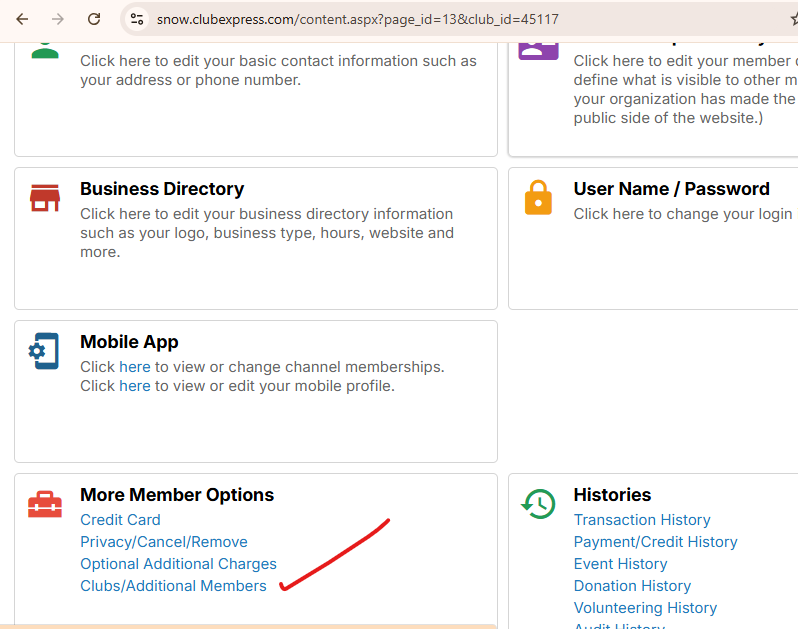
Scroll down to find the “More Member Options” box. Click on “Clubs/Additional Members”
And you will see your membership summary screen
…now continue as outlined below
To ADD our club … click on Actions
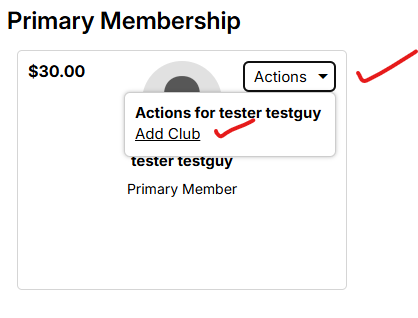
click on “Select a club”
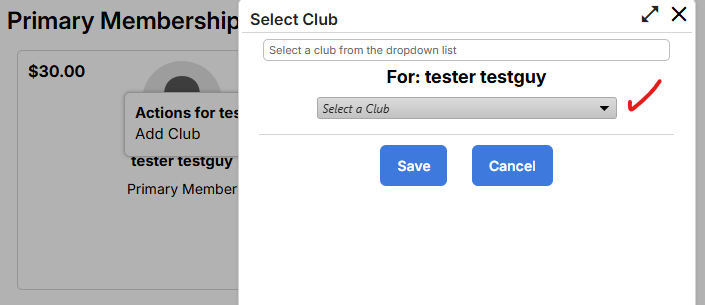
Scroll down to NORTH ROUTT SNOW RIDERS
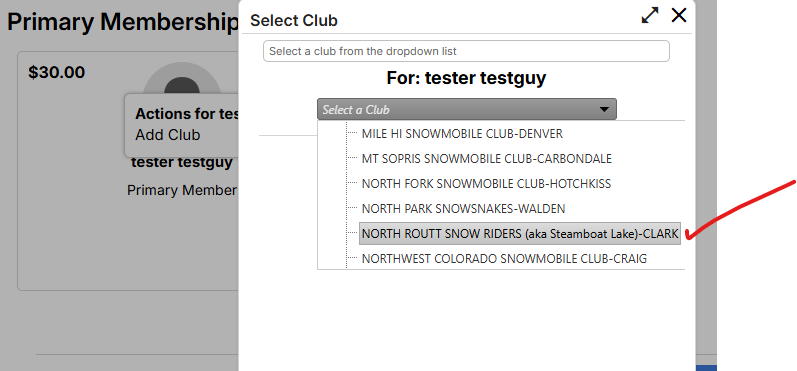
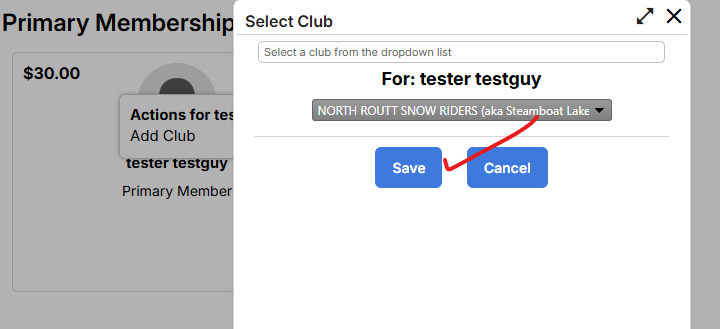
Click on Save
Your membership summary will now reflect your club association and fees relative to CSA and associated clubs
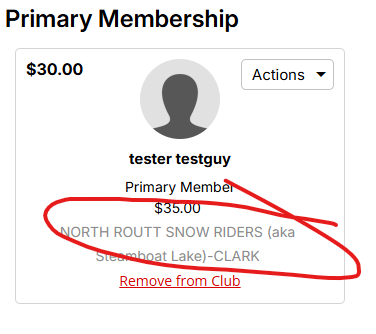
A “renewal” will simply show the clubs you had supported. You may add (or remove) clubs using the club selection process shown in the previous screen sequence
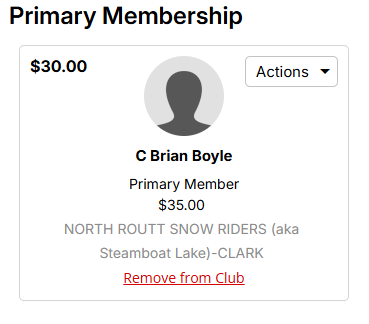
Once you have associated your membership with the club(s) you wish to support, click through the remaining screen sequence and be sure to complete the sequence by “submitting a payment”!
You should receive an email confirming your CSA membership updates.